Overview
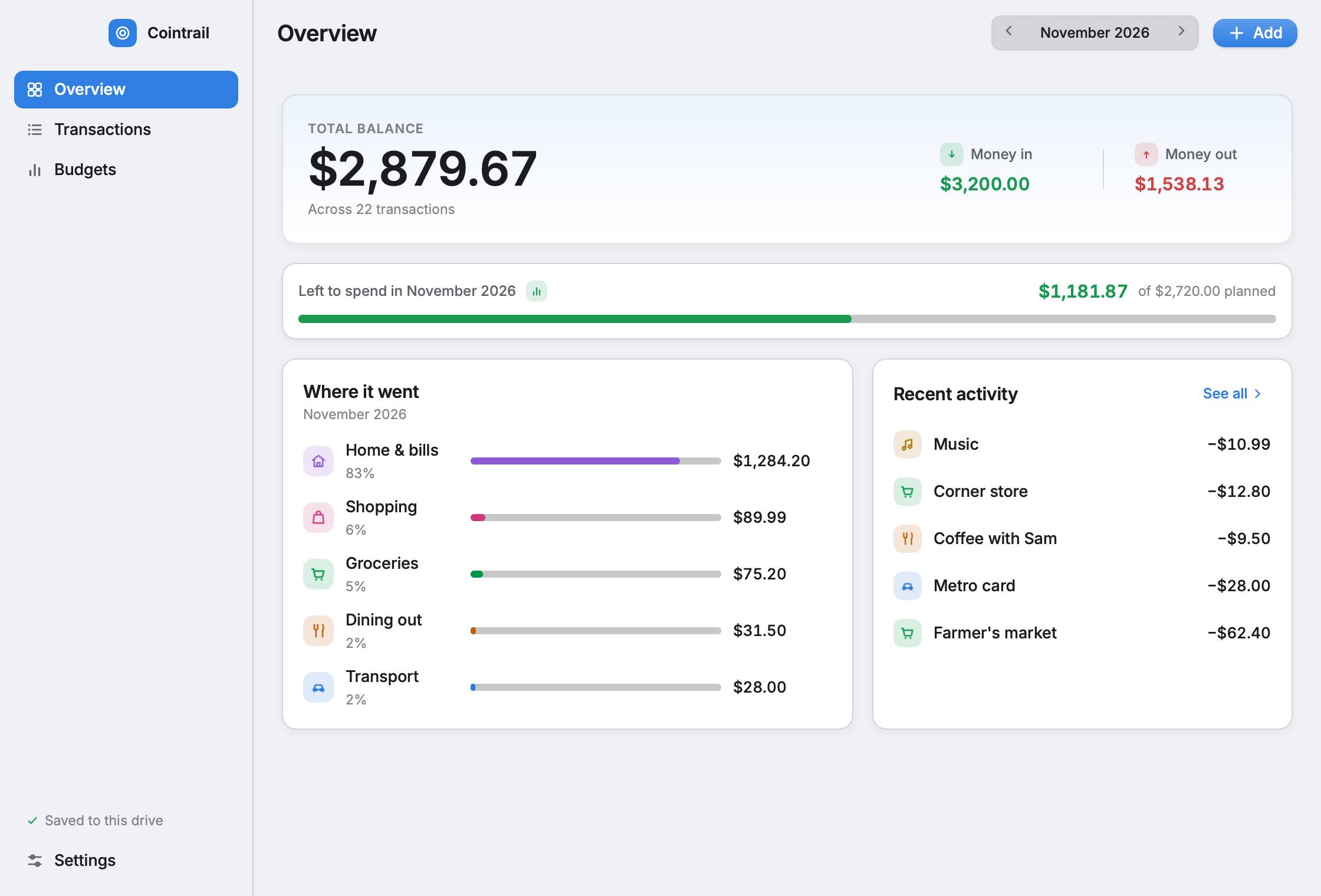
Your balance, what came in and went out this month, what’s left of your plan — and, the question everyone actually has, where it went.
Personal finance, minus the finance app
Cointrail answers that one question and then gets out of the way. It lives on a USB stick, runs on Windows, macOS and Linux, and never sends a single byte anywhere.
Free · Works offline · Your ledger stays on your drive
What’s inside
Everything is written in plain words, sized for clicking, and saves itself the moment it changes.
Your balance, what came in and went out this month, what’s left of your plan — and, the question everyone actually has, where it went.
One month at a time, grouped by day, searchable. Click anything to fix it. Press ⌘N and type an amount to log something new.
A monthly limit per category, with a bar that turns from green to amber to red. Set it once, forget it, glance at it.
Made for people who don’t want a finance app. No envelopes, no investment advice, no “insights”. Just a tidy record of what happened and an honest bar chart of what’s left.
One stick, every computer
The program and its ledger live in one folder on the drive. Nothing is installed and nothing is left behind on the computer.
Any USB drive will do. Format it exFAT and Mac, Windows and Linux can all read and write it.
Double-click Cointrail.app or Cointrail.exe,
or run ./cointrail. All three share one ledger in
data/.
Log spending today on a Mac, check it tomorrow on a Windows box. The stick is the whole app.
Cointrail/
  data/               ← your ledger appears here
    cointrail.json
  Cointrail.app       ← macOS
  Cointrail.exe       ← Windows
  cointrail           ← Linux
  README.txt
Nothing leaves the stick
No account, because there is nothing for one to hold. Cointrail has no internet features at all — no cloud sync, no analytics, no update checks, no telemetry. It cannot leak what it never sends.
Your data is one small, plain cointrail.json file you can
open, back up, or hand to a spreadsheet. “Export to spreadsheet”
writes a CSV next to it. Settings always shows exactly where your
data lives.
The demo in your browser keeps its own copy in the browser’s storage — still on your computer, still yours. The stick version keeps it on the stick.
The demo is the real app, running in your browser with a sample month to poke at. Nothing to sign up for.